A quick introduction for members
Getting started with the club website
Sign in, explore, share your feedback and see the launch timeline. At your own pace.
Step 1 of 6
Find your way in
Your club website has a place just for members. Start with Member Zone.
- On a computer, look for Member Zone in the website header.
- On a phone, open the menu and choose Member Zone.
- Already signed in? The same link is called My Zone.
You can also use Open My Zone below. It takes you to sign-in when you are signed out.

Step 2 of 6
Sign in
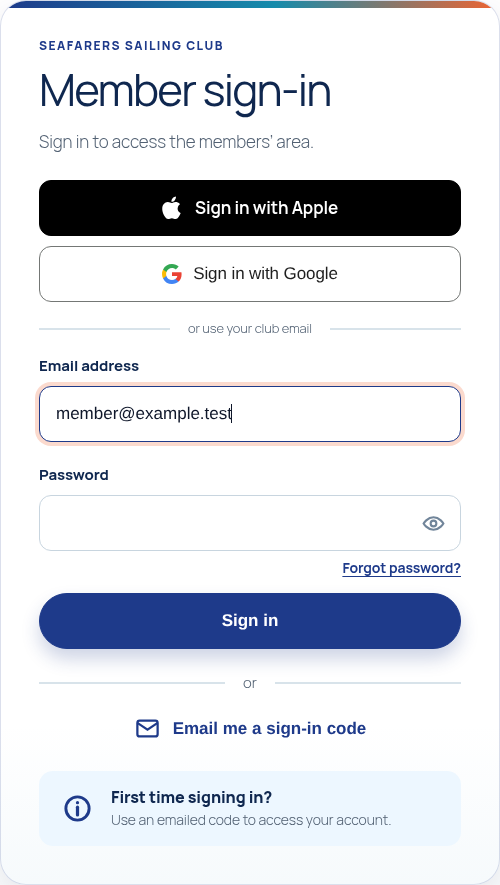
First visit? You do not need to have a password already.
- Enter the email address you use for your club membership.
- Choose Email me a sign-in code. If only the email form is shown, choose Send code.
- Check your inbox, then enter the six-digit code on the website. Check your junk folder if it does not arrive.
You can also choose Sign in with Apple or Sign in with Google when those buttons are shown. Use the account linked to your membership email; if we cannot match it, you may be asked to confirm your club email with a code. You can still use an emailed code or an existing password instead.
Step 3 of 6
Explore My Zone
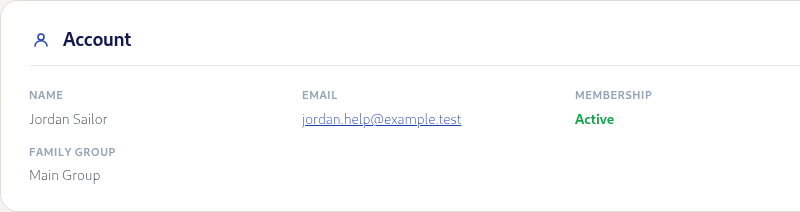
My Zone is your personal space on the club website. Use the section links to explore what is available.
- Start with your profile and membership information to get familiar with your account.
- Messages: read club notices and messages sent to you.
- Membership and Settings: check your details and manage your account.
On a phone, use the navigation at the foot of My Zone; More opens the other sections. Some sections depend on what the club has enabled.
Step 4 of 6
Report a problem
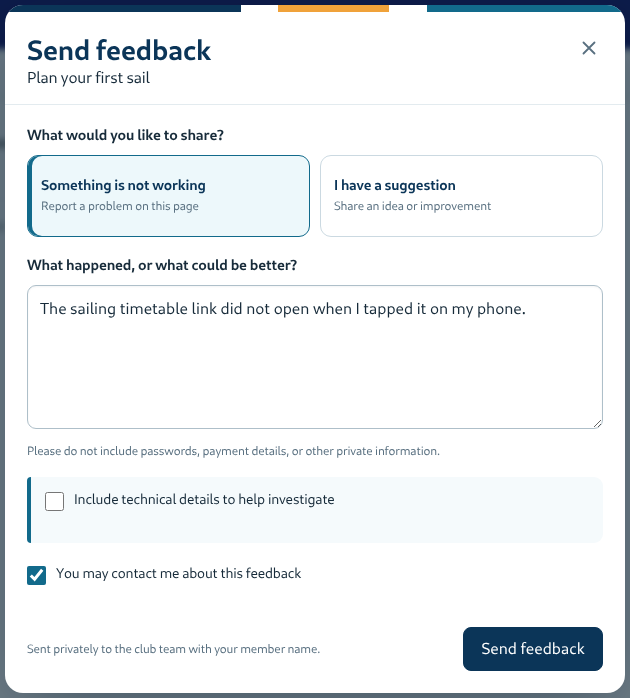
Something not working? Send feedback from the page where you noticed it. Sign in first: page feedback is currently available to members only.
- Select the speech-bubble feedback button near the bottom corner of the page.
- Choose Something is not working. Say what you tried, what you expected, and what happened instead.
- Choose whether you would like a reply, then select Send feedback.
You can add a screenshot if it helps. Check it first: never include passwords, payment details or other private information.
Step 5 of 6
Share an idea
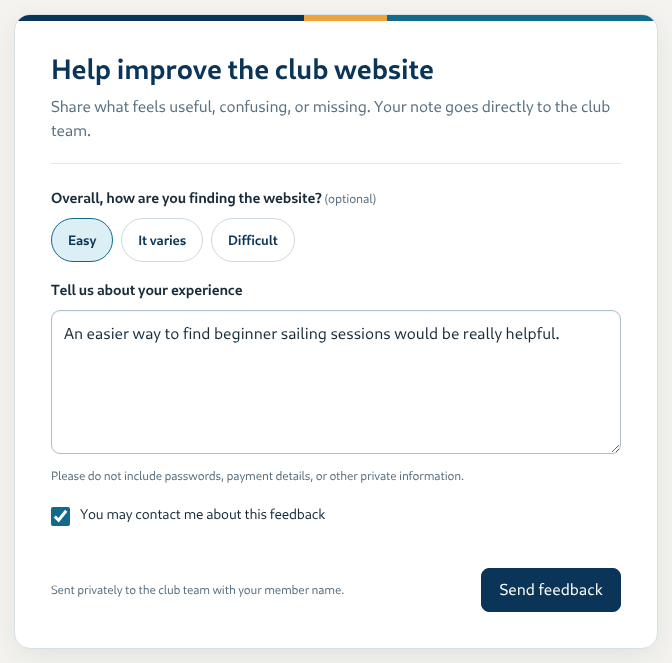
Feedback is not just for faults. Tell us what is useful, confusing or missing.
- Open My Zone and choose Feedback. On a phone, find it under More.
- Write about your experience or suggest an improvement. You can add an overall rating if you wish.
- Choose whether you would like a reply, then select Send feedback. Wait for the message saying it has been saved.
Need more detail about using the website or your account? My Zone’s Help section has the longer guides.
Example screens use fictional member details. Your screen may look a little different. Save or share this page’s address to return to the guide.