
To sign in to the Seafarers website, use the email address recorded for you in WebCollect. If your email address has changed, or a member of your family cannot sign in, please check the details in WebCollect first.
Check or update a family member’s email address
A family administrator can update each family member’s details:
- Sign in to WebCollect.
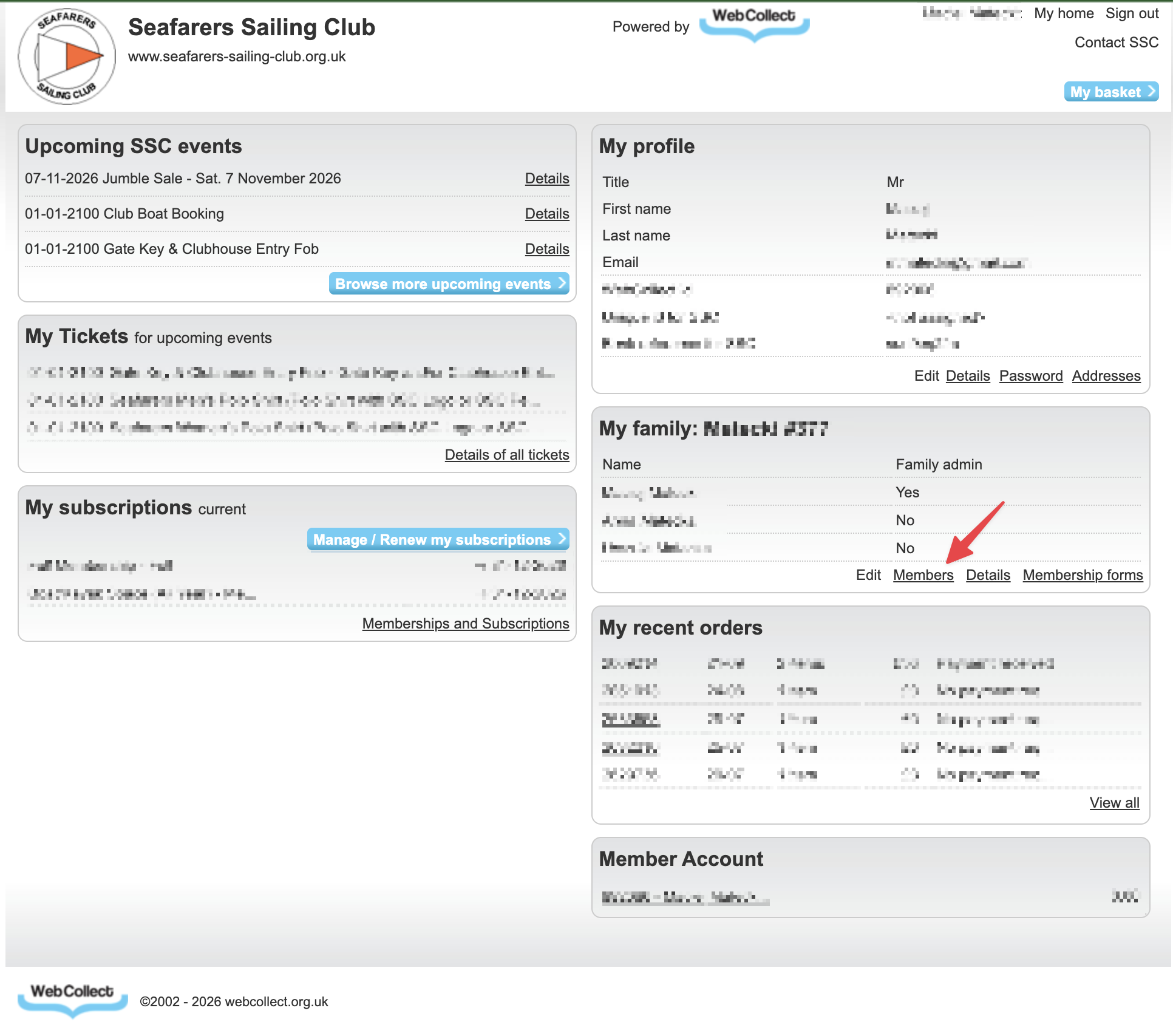
- On the right-hand side of your account page (My home), find My family and select Members..
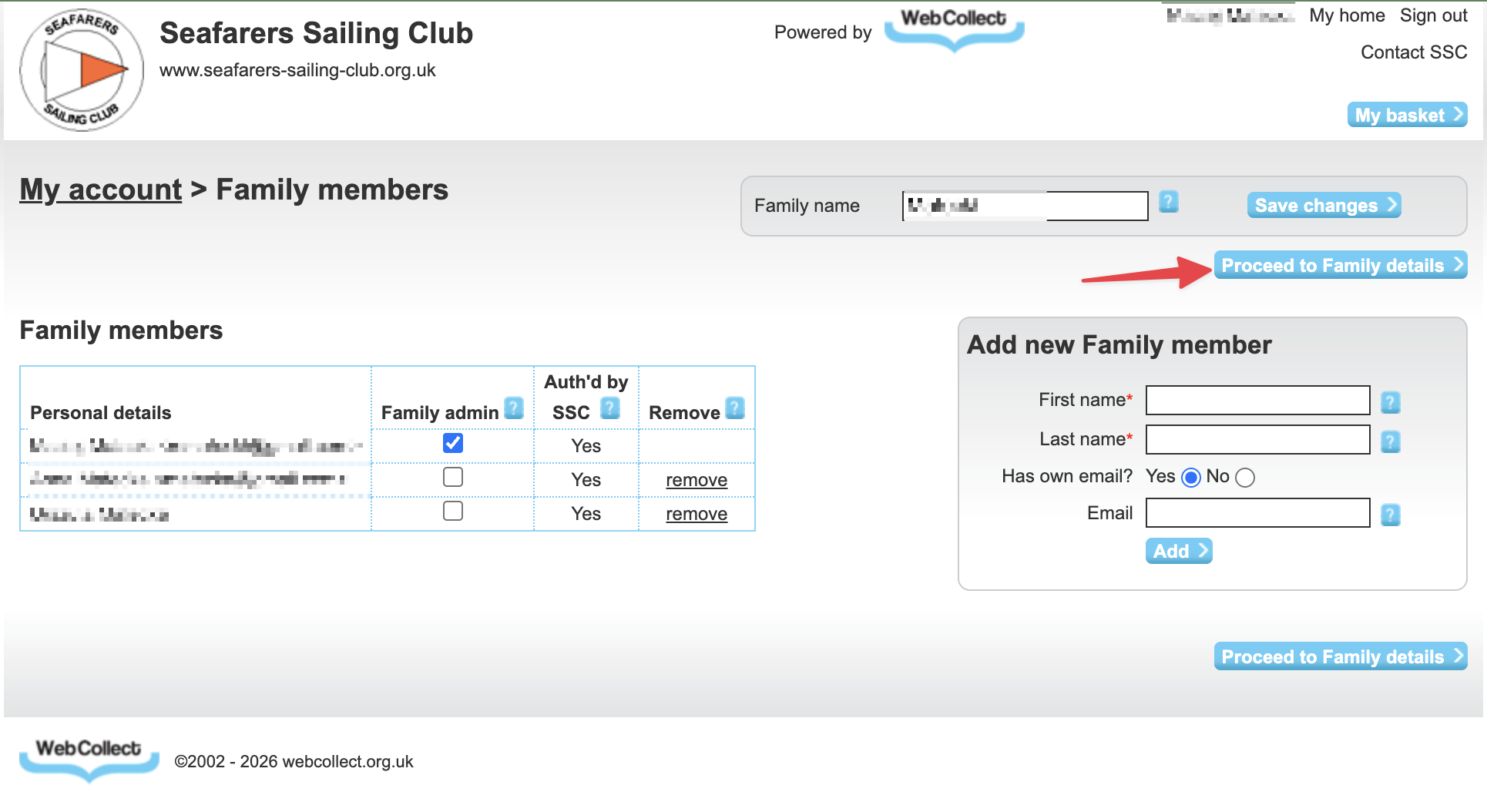
- Select Proceed to Family details.
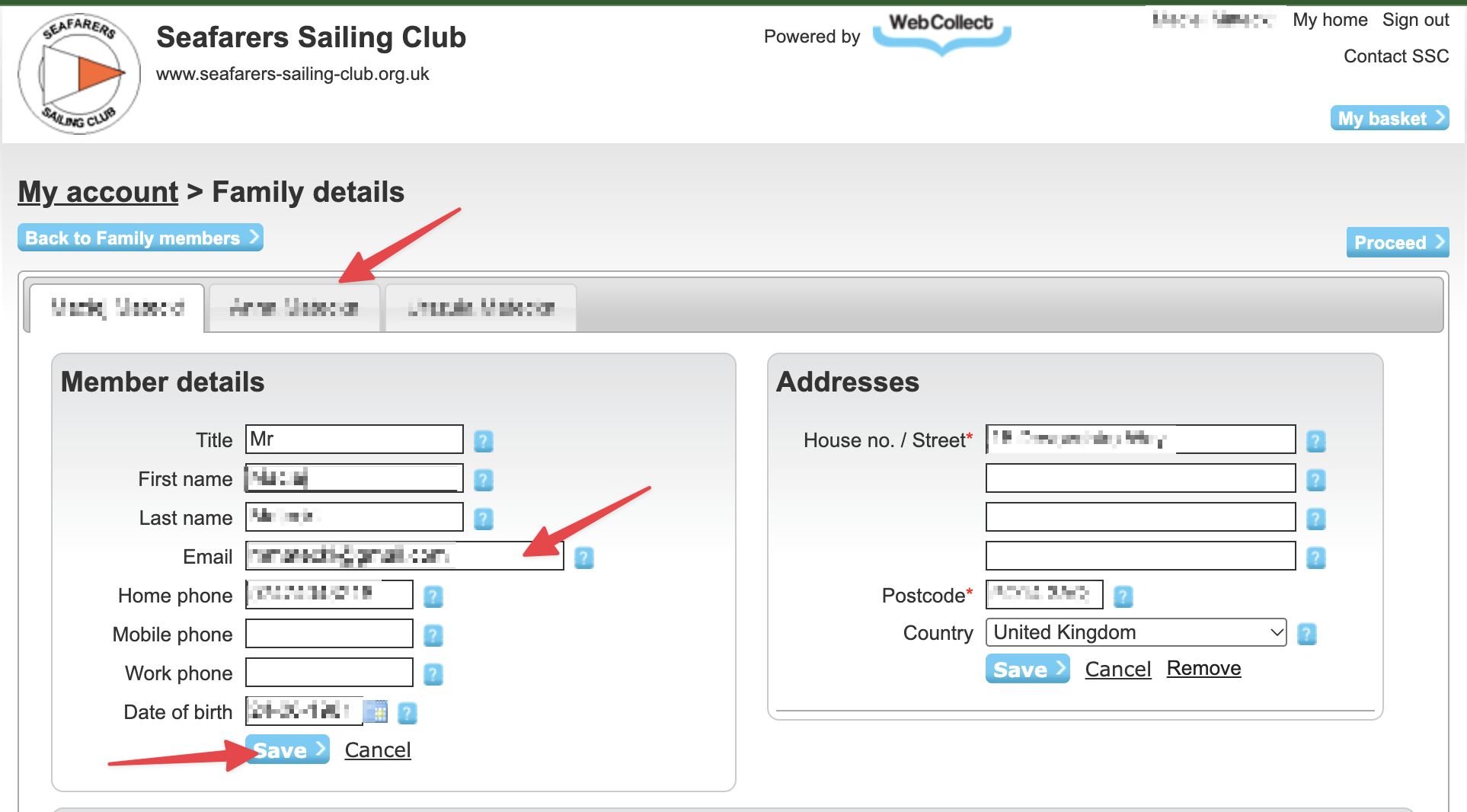
- Select the family member whose details you want to check.
- Check or update their email address, then select Save.
Each family member should use the email address on their own WebCollect record when signing in to the club website.
When can I sign in after changing an email address?
WebCollect details are synced with the club website once a day, at 3am. If you update an email address, please wait until after the next sync before trying to sign in with it.
Haven’t received your sign-in code?
- Check that you entered the email address recorded in WebCollect, with no typing mistakes.
- Look in your spam or junk email folder. If you find the message there, mark it as “not spam” so future messages are easier to find.
- If your code has expired, return to the sign-in page and request a new one.
Still having trouble?
- Check the email address for typing mistakes.
- Look in your junk or spam folder for your sign-in code.
- If your code has expired, request a new one.
For questions or further help ask
Webmaster
RYA Training Administrator
IS & IT Manager

Maciej Matecki

Kevin Forder